
Handwheel Configuration Example Estlcam / ColdEnd32
This handwheel version is ideal for use with the OPEN-CNC-Shield 2 and Estlcam as well as the ColdEnd32. The connection to the OCS2 or ColdEnd32 is established wirelessly.
Functions
The function of each button/potentiometer can later be adjusted in the ESP32 Panel software configuration. By default, the controls are assigned to the following functions:
- Wireless connection to the OCS2 and the ColdEnd32
- Space for 5000 mAh power bank
- Display for showing the OPEN-CNC-Shield and/or ColdEnd32 status
- Estlcam: Joystick for axis movement and button on the joystick for zeroing the axes (OK button)
- Estlcam: Motor Start/Stop and Program Start/Stop buttons
- Estlcam: Feedrate potentiometer for adjusting feed speed during milling jobs
- Estlcam: Spindle potentiometer for adjusting spindle speed during milling jobs
- OCS2: Autosquare button to start the autosquaring process
- OCS2: Ena button to disable motor power
- ColdEnd32: Potentiometer for controlling feed rate
- ColdEnd32: Button for air supply
- ColdEnd32: Button for lubrication pump
- ColdEnd32: Button for fast mode
Controls / Components
All required control elements such as buttons, potentiometers, joystick, etc. are included in the two sets below. Both sets are needed for this handwheel version. The original buttons/potentiometers from the ColdEnd32 purchase can also be used.
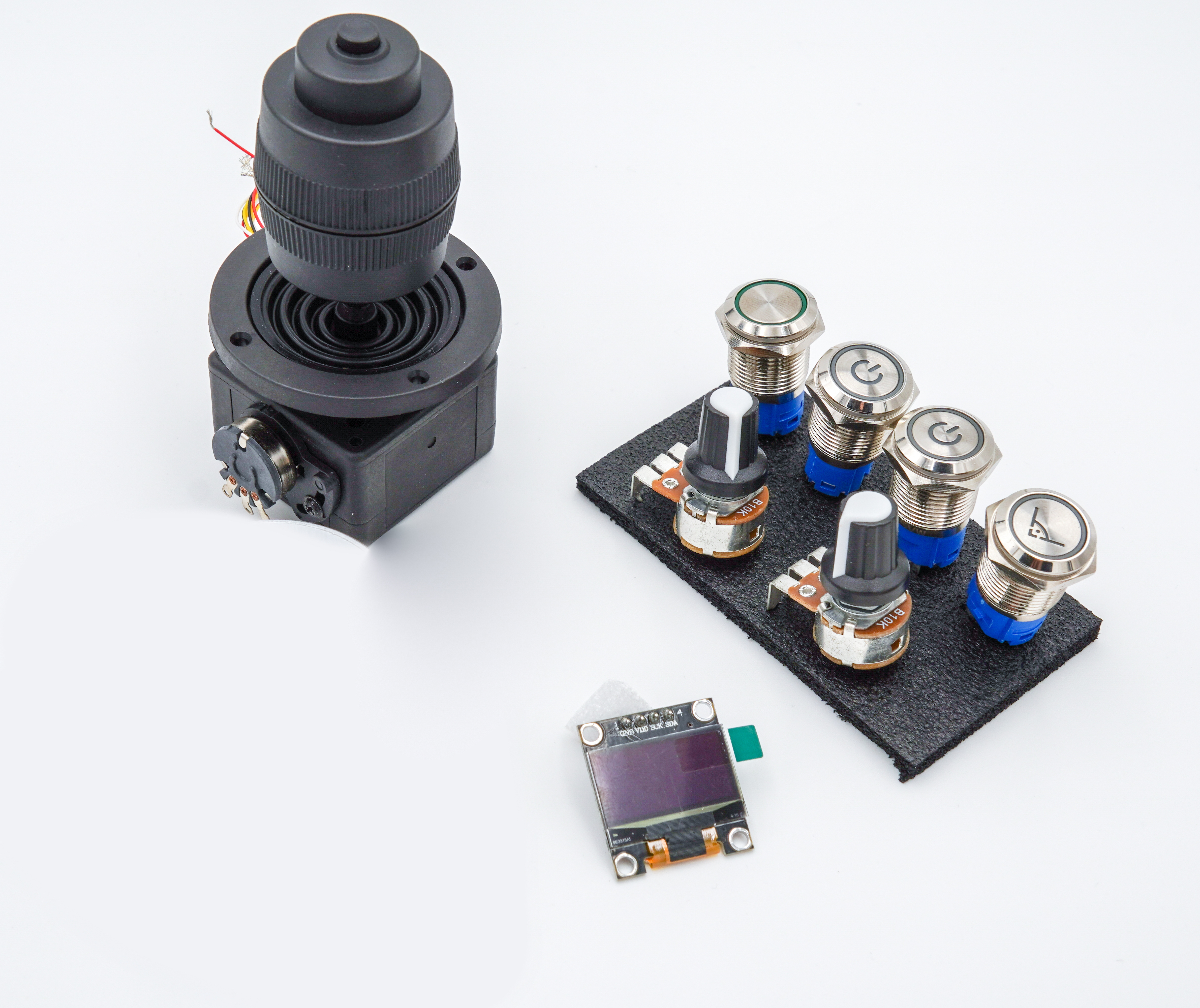
With this control element set, you can build your own control panel for Estlcam or a CNC milling machine. Note: if you use pre-made enclosure designs, always pay attention to the size of each component. In my enclosure designs, I have included the Fusion360 file so the button, switch, and potentiometer sizes can be adjusted accordingly. More information in my blog post Scope of Delivery 1x 4-axis joystick 10K 2x Push buttons – 16mm stainless steel – white LED – 5V – on/off symbol (Program/Motor Start/Stop) – IP67 1x Push button – 16mm stainless steel – white LED – 5V – right angle symbol (Autosquaring) – IP67 2x Potentiometers – 10k Ohm 1x Latching switch – 16mm stainless steel – white LED – 5V (Motor disable or Speed1/2) – IP67 1x Display 128x64 – OLED 1x On/Off rocker switch Further Links Matching enclosure on Thingiverse Guide for this handwheel version
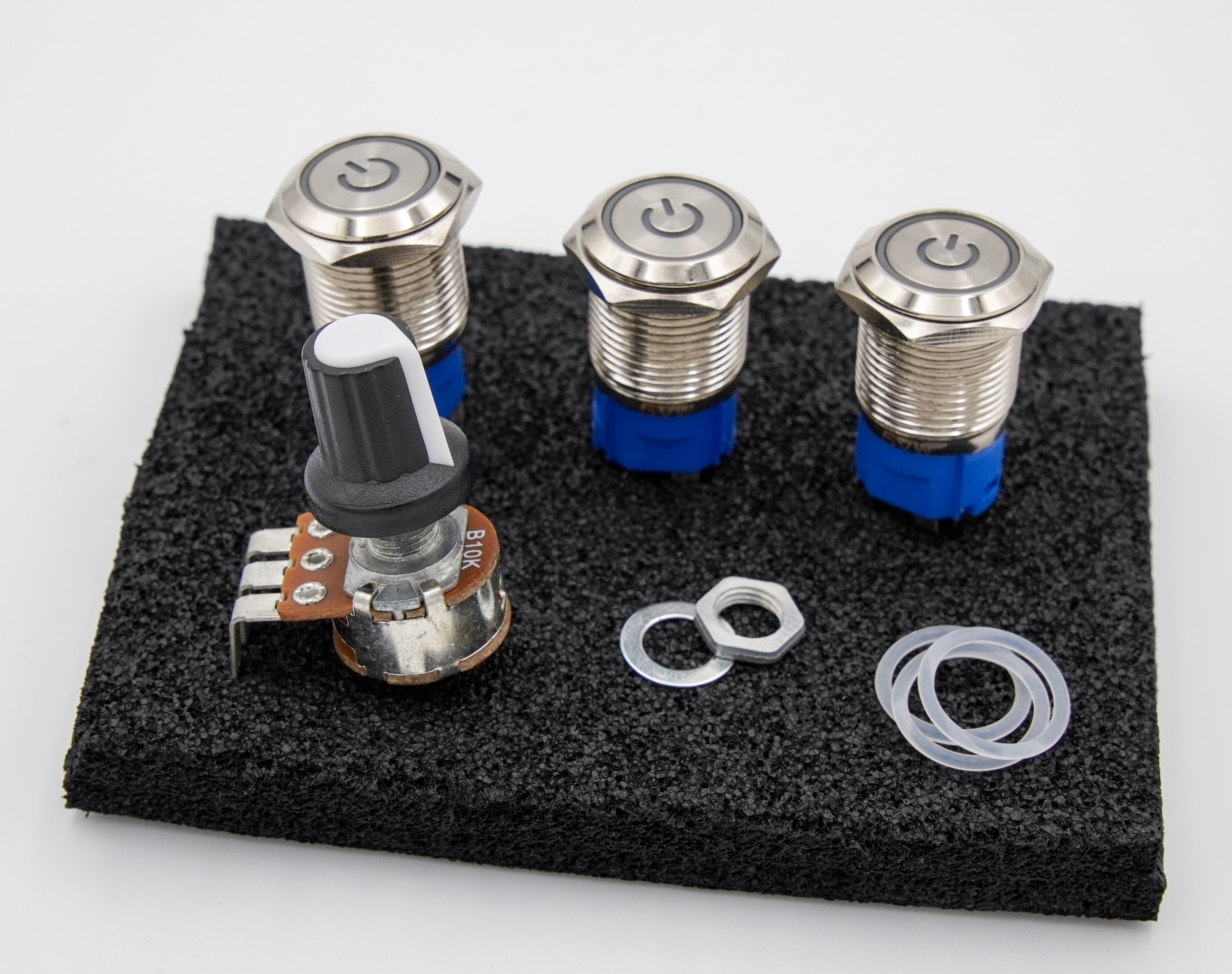
Dieses Erweiterung-Set beinhaltet die benötigten Bedienelemente, um auch das ColdEnd32 mit der ESP32 Panel Platine zu steuernMehr dazu in meinem BlogbeitragDieses Set kann mit dem Bedienelement Set 4 kombiniert werden. Dann besitzt man alle benötigten Bauteile für die Gehäuse mit zusätzlichen ColdEnd32 Aussparungen.Lieferumfang3x Taster - 16mm- rostfreier Stahl - weiße LED - 5V - An/Aus Symbol - IP671x Poti - 10k OhmWeiterführende LinksPassendes Gehäuse auf ThingiverseAnleitung für diese Handrad-Variante
Circuit Board
The circuit board, together with the ESP32, forms the core of the handwheel. All control elements are connected here, enabling communication with both the OPEN-CNC-Shield 2 and the ColdEnd32. The ESP32 can be ordered either with pre-installed firmware or without firmware. The firmware is available here: GitHub
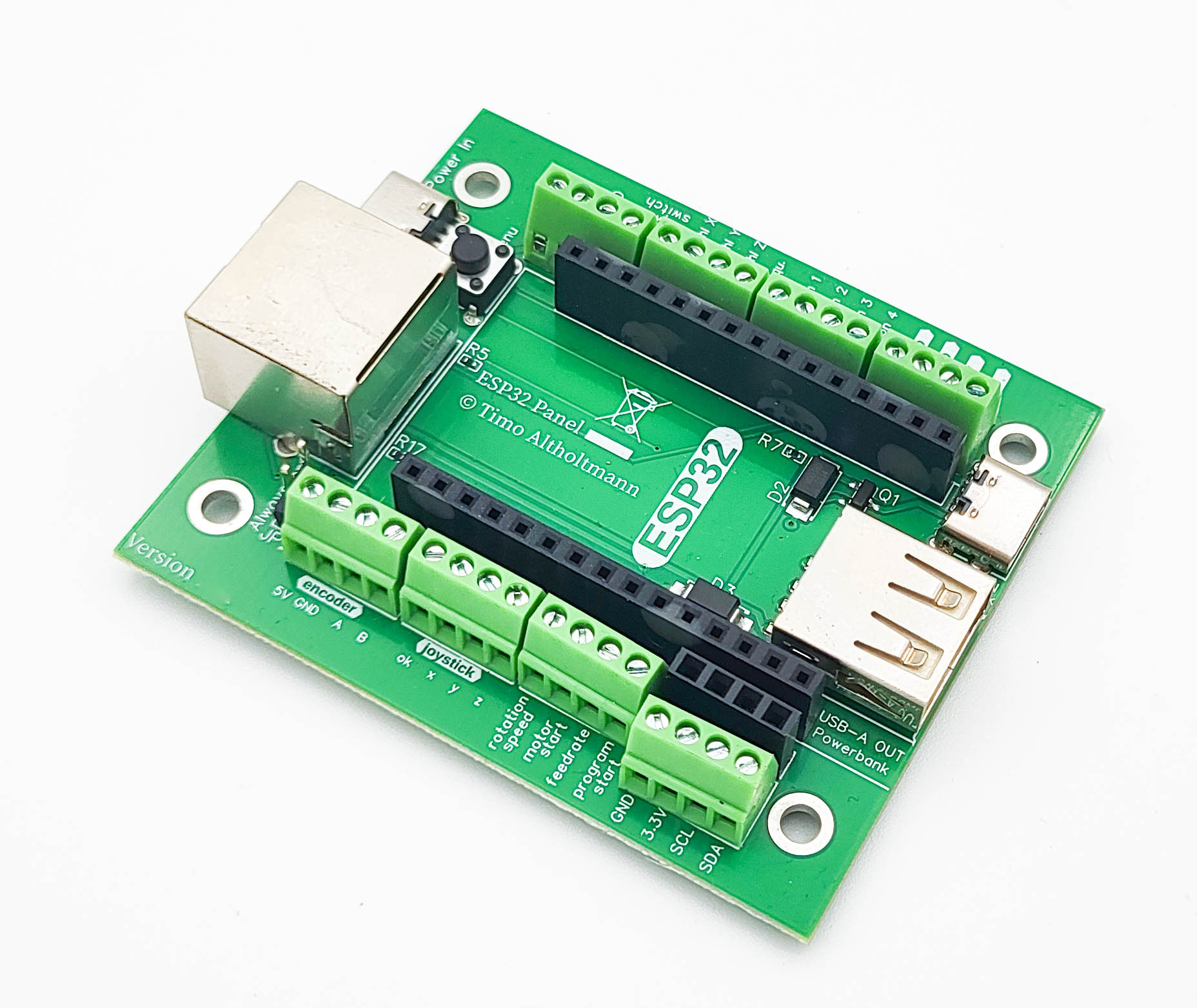
Image similar. Depending on the version, the board may differ slightly. The ESP32 Panel board is designed for building external control elements. The ESP32 on the board communicates via WiFi with the OPEN-CNC-Shield 2. Its functionality is tailored for use with the Estlcam ControllerModule. When using a different controller, functionality may be significantly limited. Please refer to the documentation of each ControllerModule for details. Functions: WiFi communication – 2.4 GHz – ESPNOW protocol Power supply via RJ45 Dedicated signal line for the encoder in the RJ45 cable (the encoder signal is not transmitted via WiFi; a connection with an RJ45 cable to the PanelModule RJ45 port is required) Power supply possible via power bank Charging the power bank possible (with RJ45 connection to the OPEN-CNC-Shield 2) All inputs can be conveniently remapped in the ESP32 web interface software and used for other functions Various optional connection options: 4-pin 5V encoder 3-axis joystick with OK button (for zeroing axes) Motor Start/Stop button Program Start/Stop button Feedrate potentiometer (feed speed) Rotation Speed potentiometer (spindle speed) Autosquare button Axis selection X, Y, and Z (to select the axis for the encoder) No longer supported by Estlcam v12, but the inputs can be remapped in the software for other functions 4 free buttons (can be used, for example, for motor disable or Speed1/Speed2 functions) I2C connector, typically for a display Scope of Delivery: ESP32 Panel board Further Links: Documentation Software / Firmware Connection diagram
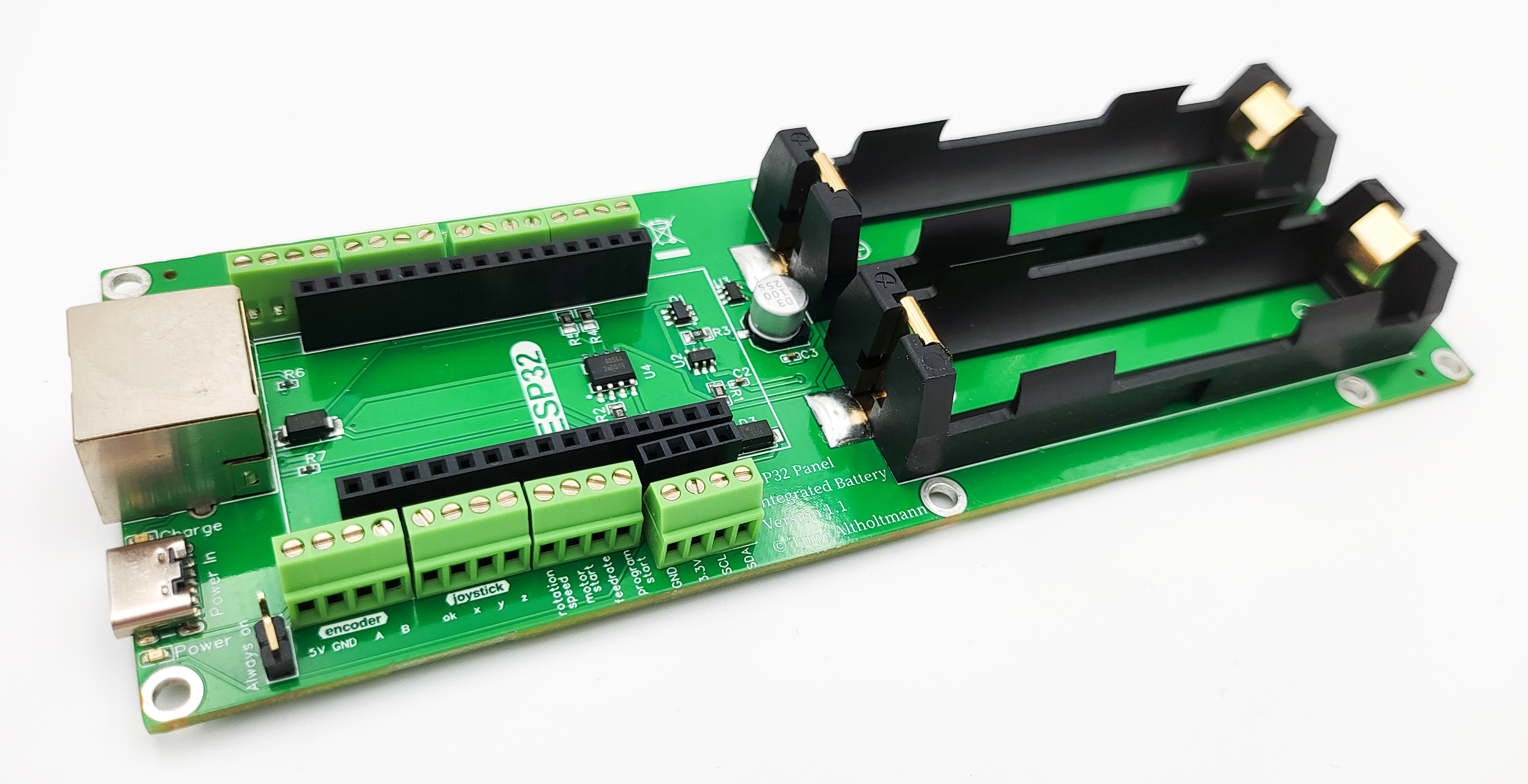
The ESP32 Panel Integrated Battery Board is designed for building external control panels. The ESP32 on the board communicates via WiFi with the OPEN-CNC-Shield 2. Its functionality is tailored for use with the Estlcam ControllerModule. When using a different controller, functionality may be significantly limited. Please refer to the documentation of each ControllerModule for details. Functions: WiFi communication - 2.4GHz - ESPNOW protocol Power supply via RJ45 or USB-C Dedicated signal line for the encoder in the RJ45 cable (the encoder signal is not transmitted via WiFi. A connection via RJ45 cable to the PanelModule RJ45 is required) Power supply possible through 2 x 18650 batteries Charging electronics with safety cutoff for 18650 batteries Battery charging via RJ45 connection to OCS2 or USB-C All inputs can be conveniently remapped in the ESP32 web interface software and used for other functions Various optional connection options: 4-pin - 5V encoder 3-axis joystick with OK button (for axis zeroing) Motor Start/Stop button Program Start/Stop button Feedrate potentiometer (feed speed) Rotation speed potentiometer (spindle speed) Autosquare button Axis selection X, Y, and Z (to select the axis for the encoder) No longer supported by Estlcam v12, but inputs can be remapped in software for other functions 4 free buttons (e.g., for power-off function or Speed1/Speed2) Connection for I2C, typically for a display Scope of delivery: ESP32 Panel Integrated Battery Board Commissioning: Examples of wiring can be found in the documentation. When new batteries are inserted, power must first be connected briefly via USB-C. Normal operation will then function afterward. Further links: Documentation Software / Firmware Connection diagram
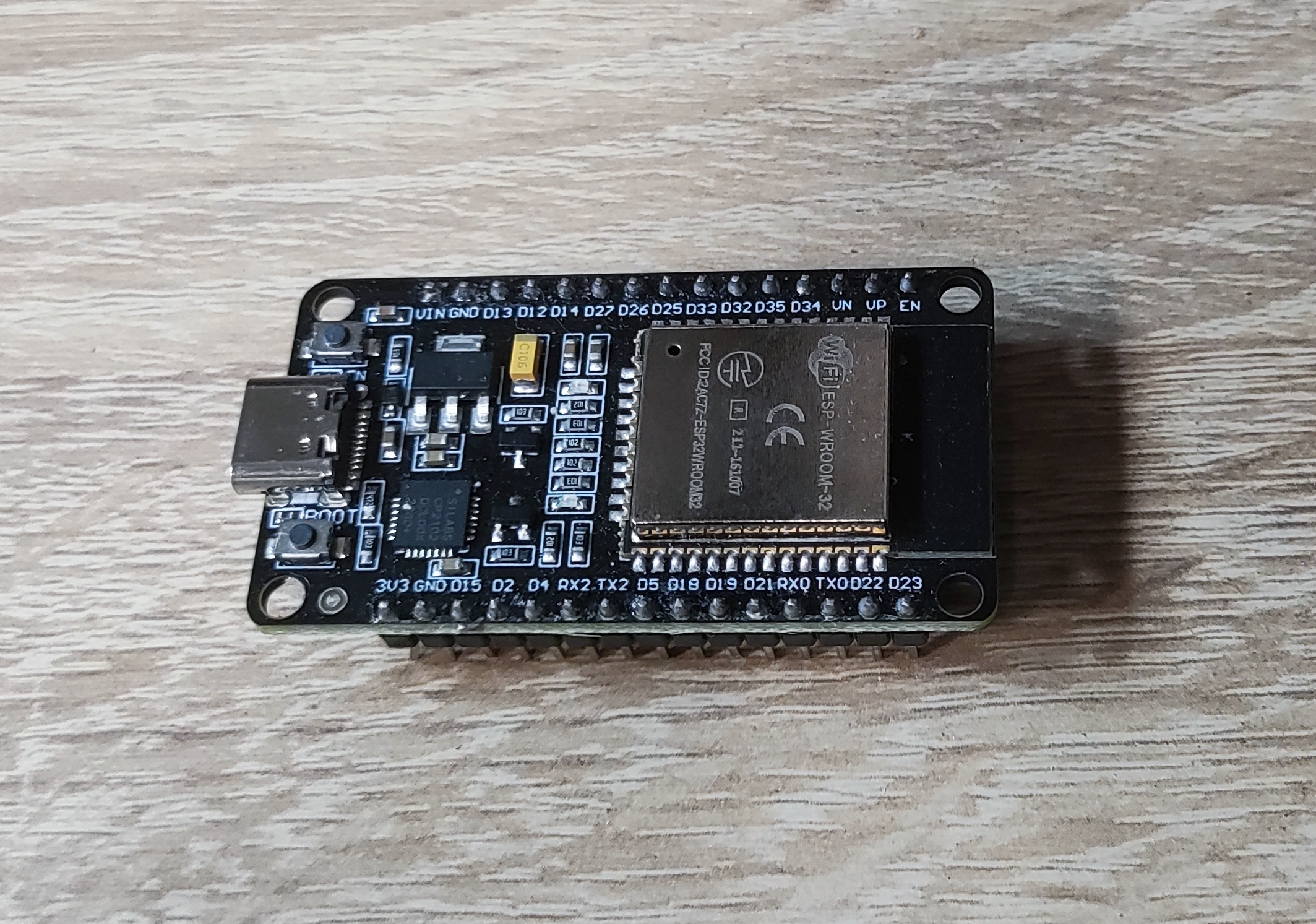
ESP32 Devkit DOIT V1 USB-C or Micro-USB connection (depending on stock) Links: Blog post: Firmware for my products ESP32 Panel Flash Tool OPEN-CNC-Shield 2 ESP32 Flash Tool
Housing
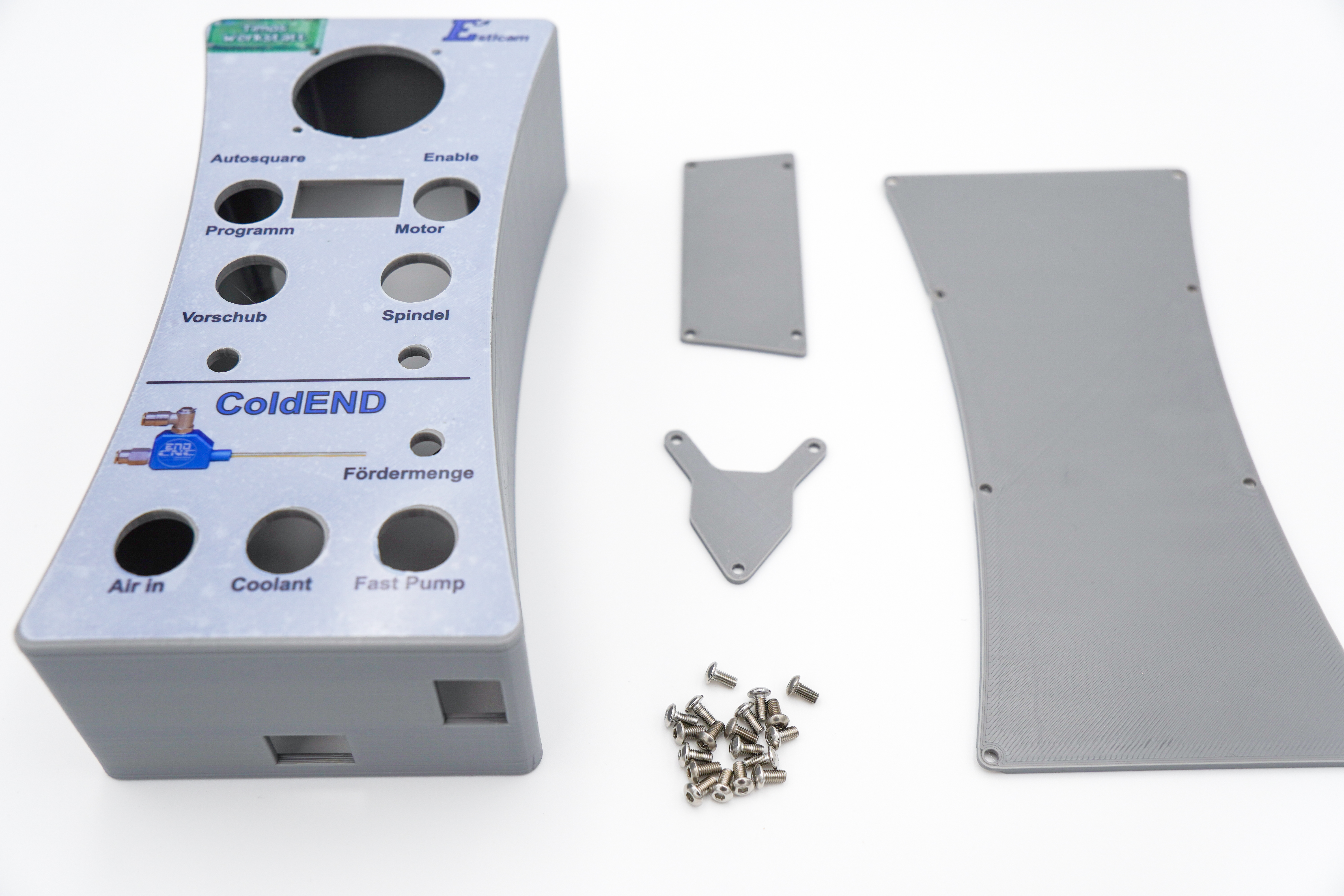
The 3D-printed housing is available in various colors. It can also be printed yourself — the files are available on Thingiverse.
Go to the product detail page for the housings: Handwheel Housing Estlcam ColdEnd32



€19.99
Available, delivery time: 2-5 days