Bedienelement Set 4

€74.95
No longer available
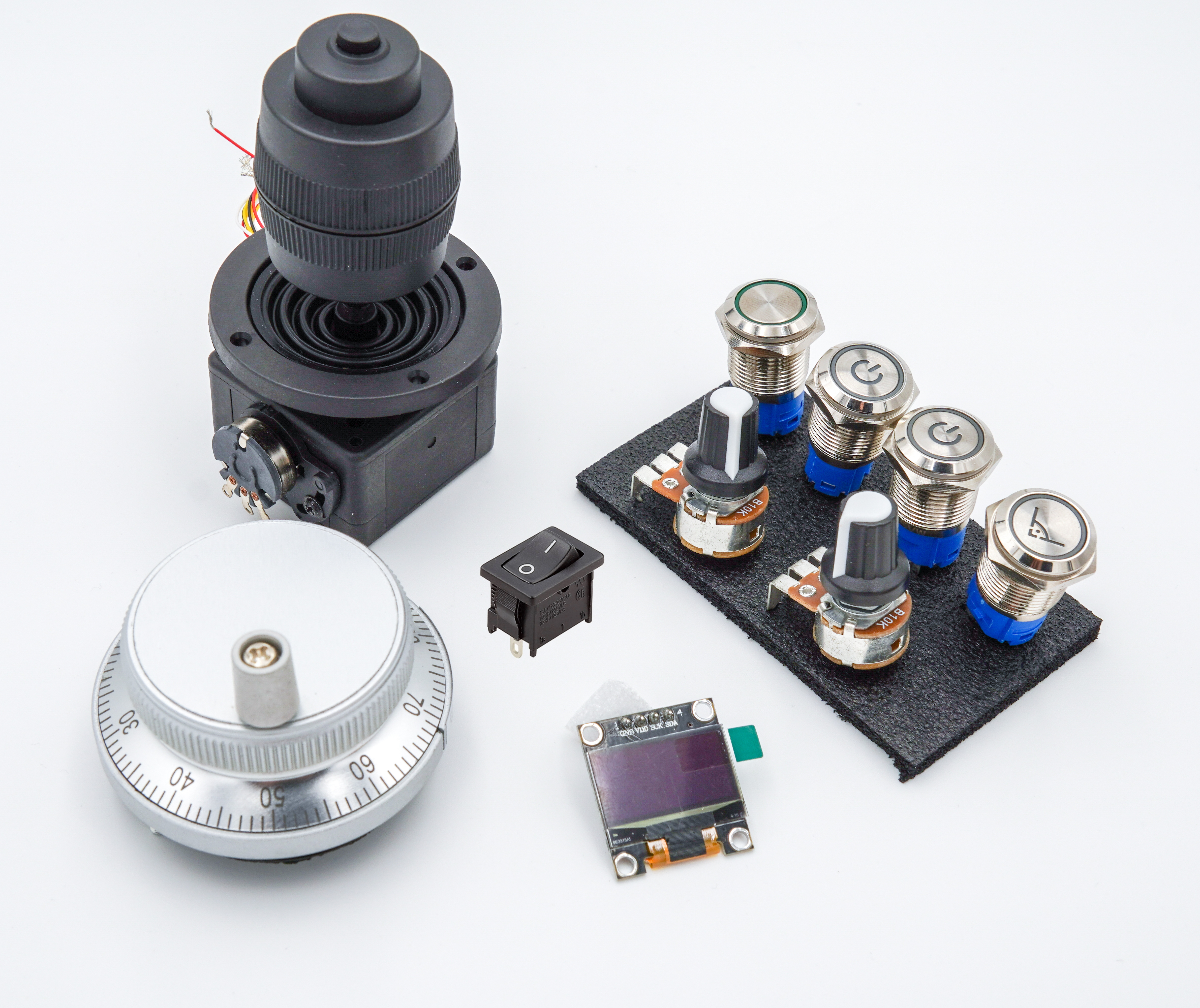
Product information "Bedienelement Set 4"
- 1x Encoder/handwheel
- 1x 4-axis joystick 10K
- 2x Push buttons – 16mm stainless steel – white LED – 5V – on/off symbol (Program/Motor Start/Stop) – IP67
- 1x Push button – 16mm stainless steel – white LED – 5V – right angle symbol (Autosquaring) – IP67
- 2x Potentiometers – 10k Ohm
- 1x Latching switch – 16mm stainless steel – white LED – 5V (Motor disable or Speed1/2) – IP67
- 1x Display 128x64 – OLED
- 1x On/Off rocker switch
Login
Passend dazu
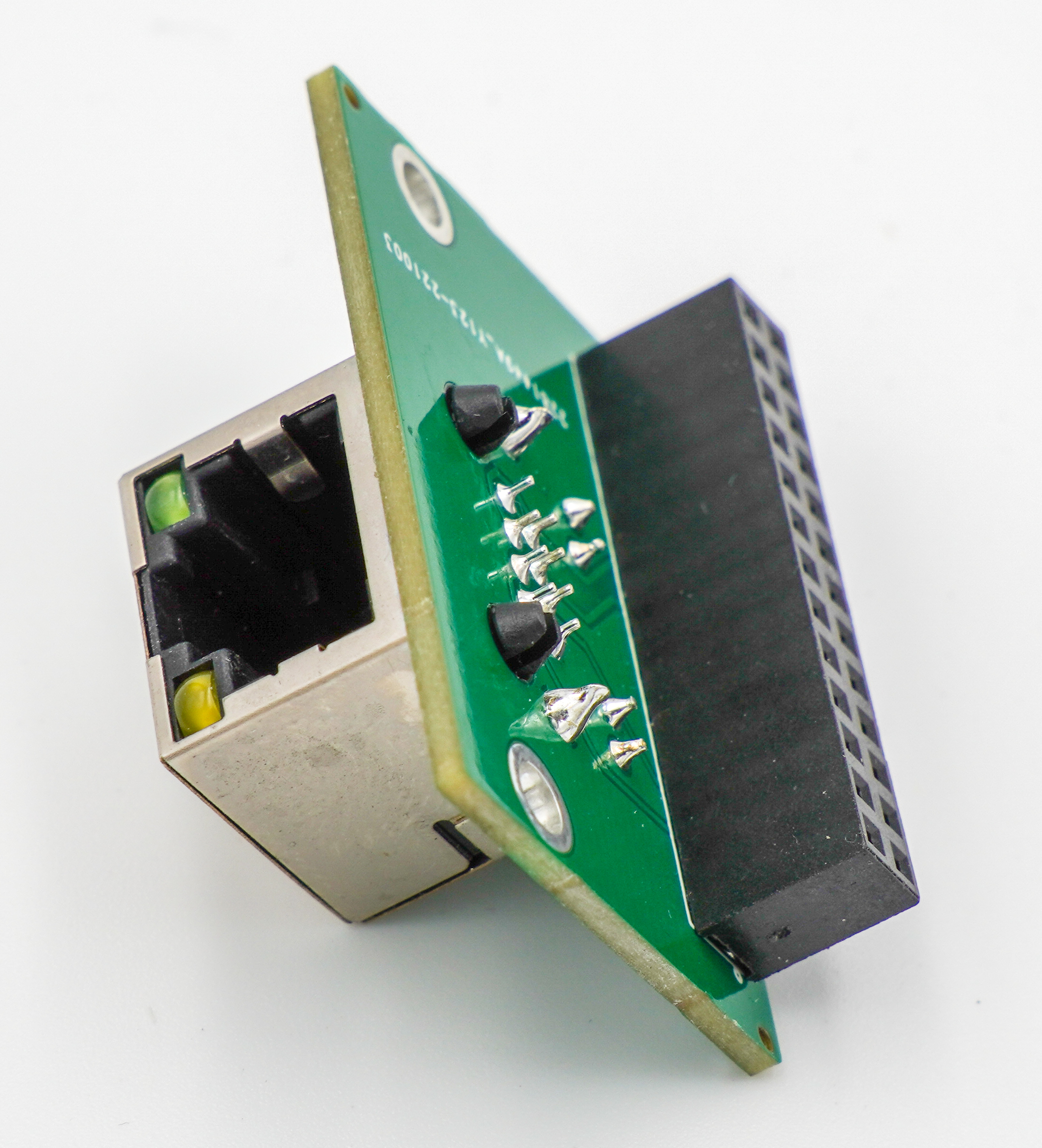
This PanelModule is an expansion board for the OPEN-CNC-Shield 2. This module provides an RJ45 (LAN) interface for connecting a handwheel to the OPEN-CNC-Shield 2. The connection is currently used primarily to supply power to the handwheel. Technical Specifications: RJ45 connector Scope of Delivery: PanelModule Further Links: Documentation
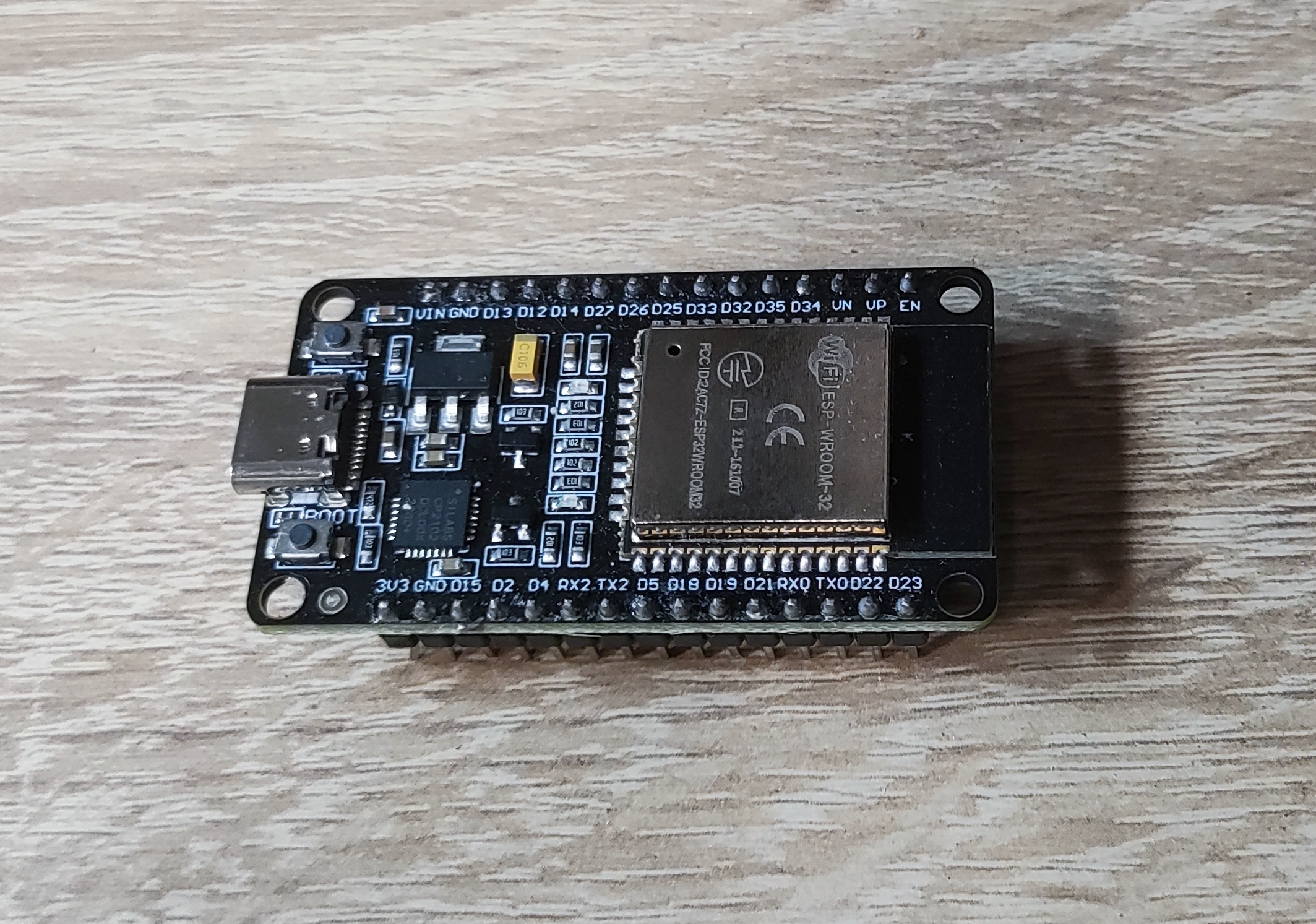
ESP32 Devkit DOIT V1 USB-C or Micro-USB connection (depending on stock) Links: Blog post: Firmware for my products ESP32 Panel Flash Tool OPEN-CNC-Shield 2 ESP32 Flash Tool
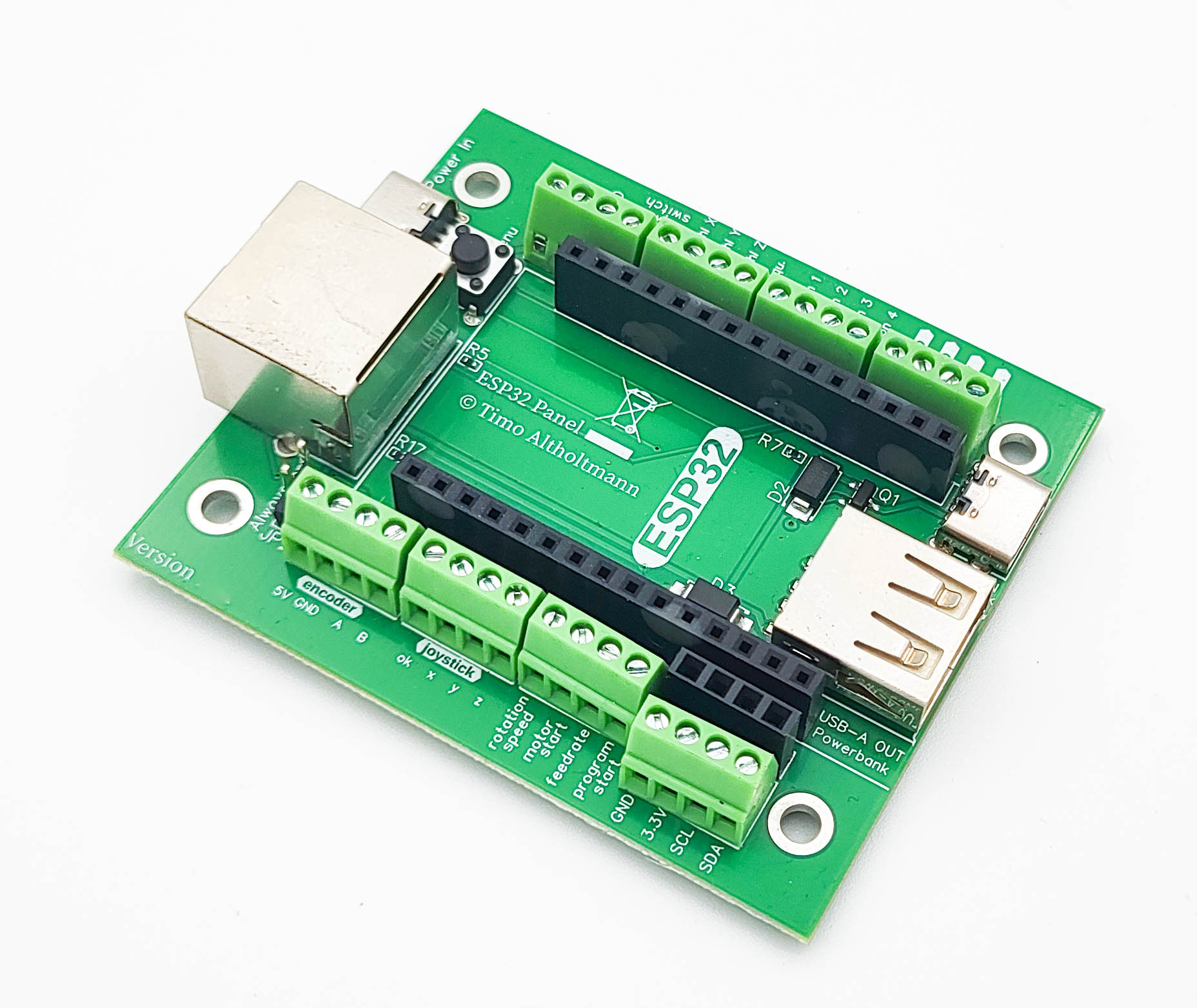
Image similar. Depending on the version, the board may differ slightly. The ESP32 Panel board is designed for building external control elements. The ESP32 on the board communicates via WiFi with the OPEN-CNC-Shield 2. Its functionality is tailored for use with the Estlcam ControllerModule. When using a different controller, functionality may be significantly limited. Please refer to the documentation of each ControllerModule for details. Functions: WiFi communication – 2.4 GHz – ESPNOW protocol Power supply via RJ45 Dedicated signal line for the encoder in the RJ45 cable (the encoder signal is not transmitted via WiFi; a connection with an RJ45 cable to the PanelModule RJ45 port is required) Power supply possible via power bank Charging the power bank possible (with RJ45 connection to the OPEN-CNC-Shield 2) All inputs can be conveniently remapped in the ESP32 web interface software and used for other functions Various optional connection options: 4-pin 5V encoder 3-axis joystick with OK button (for zeroing axes) Motor Start/Stop button Program Start/Stop button Feedrate potentiometer (feed speed) Rotation Speed potentiometer (spindle speed) Autosquare button Axis selection X, Y, and Z (to select the axis for the encoder) No longer supported by Estlcam v12, but the inputs can be remapped in the software for other functions 4 free buttons (can be used, for example, for motor disable or Speed1/Speed2 functions) I2C connector, typically for a display Scope of Delivery: ESP32 Panel board Further Links: Documentation Software / Firmware Connection diagram
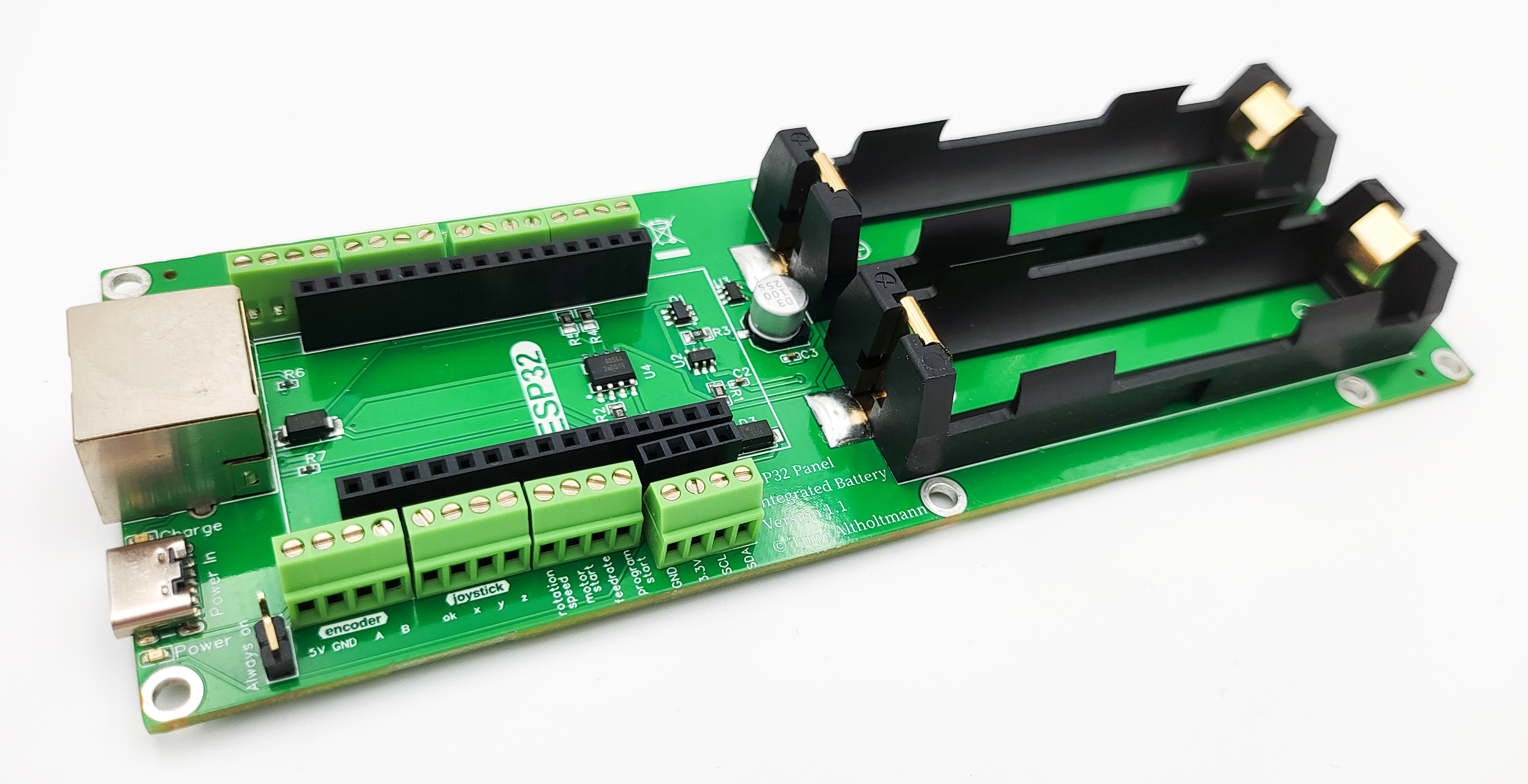
The ESP32 Panel Integrated Battery Board is designed for building external control panels. The ESP32 on the board communicates via WiFi with the OPEN-CNC-Shield 2. Its functionality is tailored for use with the Estlcam ControllerModule. When using a different controller, functionality may be significantly limited. Please refer to the documentation of each ControllerModule for details. Functions: WiFi communication - 2.4GHz - ESPNOW protocol Power supply via RJ45 or USB-C Dedicated signal line for the encoder in the RJ45 cable (the encoder signal is not transmitted via WiFi. A connection via RJ45 cable to the PanelModule RJ45 is required) Power supply possible through 2 x 18650 batteries Charging electronics with safety cutoff for 18650 batteries Battery charging via RJ45 connection to OCS2 or USB-C All inputs can be conveniently remapped in the ESP32 web interface software and used for other functions Various optional connection options: 4-pin - 5V encoder 3-axis joystick with OK button (for axis zeroing) Motor Start/Stop button Program Start/Stop button Feedrate potentiometer (feed speed) Rotation speed potentiometer (spindle speed) Autosquare button Axis selection X, Y, and Z (to select the axis for the encoder) No longer supported by Estlcam v12, but inputs can be remapped in software for other functions 4 free buttons (e.g., for power-off function or Speed1/Speed2) Connection for I2C, typically for a display Scope of delivery: ESP32 Panel Integrated Battery Board Commissioning: Examples of wiring can be found in the documentation. When new batteries are inserted, power must first be connected briefly via USB-C. Normal operation will then function afterward. Further links: Documentation Software / Firmware Connection diagram